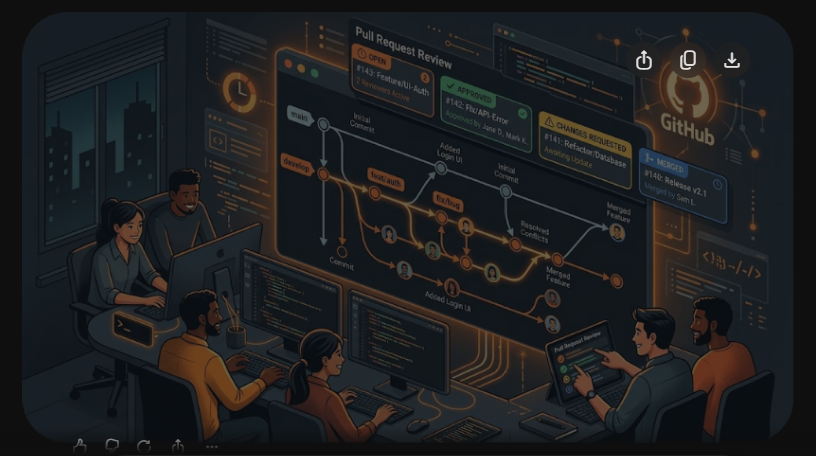
In modern software engineering, code quality is only as reliable as the version control workflows that govern how teams integrate, review, and ship software. While individual developers can often get away with basic git add, git commit, and git push commands on isolated local repositories, scaling engineering velocity across a distributed team of 10, 50, or 500 engineers demands strict collaboration hygiene. A single sloppy merge commit or an uncommunicated force push to a shared branch can block releases, overwrite critical features, and trigger production regressions.
Top-performing engineering teams do not treat Git as merely a backup mechanism; they leverage it as a continuous integration pipeline, an automated audit trail, and a peer-review battleground. In this comprehensive handbook, we break down industry-standard branching strategies (Trunk-Based Development vs. GitFlow), settle the perennial debate between Merge vs. Rebase, establish high-converting Pull Request review etiquette, and provide step-by-step terminal commands for defusing complex merge conflicts safely. Master your personal development portfolio with our guide on How to Build a GitHub Portfolio, or explore containerized CI/CD pipelines in our Docker & Kubernetes for Beginners Guide.
| Branching Model | Primary Use Case | Branch Lifespan | Release Velocity |
|---|---|---|---|
| Trunk-Based Development | High-growth SaaS, continuous delivery, automated CI/CD microservices | Short-lived (< 24–48 hours) | Multiple production releases per day |
| GitHub Flow | Web applications, agile startups, team-reviewed feature releases | Medium (2–4 days) | Continuous release upon PR merge to main |
| GitFlow | Traditional packaged software, mobile apps, regulated enterprise releases | Long-lived (weeks to months) | Scheduled cyclical milestone releases (v1.0, v2.0) |
Branching Models Compared: Trunk-Based Development vs. GitFlow
Selecting the appropriate Git branching strategy determines whether your engineering organization moves with agility or suffocates under “merge hell.”

1. GitFlow: The Regulated Enterprise Approach
Introduced by Vincent Driessen in 2010, GitFlow utilizes two permanent branches: main (storing official production history) and develop (integrating features). Supporting branches include feature/*, release/*, and hotfix/*. While GitFlow provides strict isolation for scheduled release cycles, it introduces significant friction. Long-lived feature branches inevitably diverge from develop, resulting in massive merge conflicts and delayed feedback loops.
2. Trunk-Based Development: The Silicon Valley Standard
Championed by tech giants like Google, Netflix, and Meta, Trunk-Based Development (TBD) mandates that all engineers merge small, frequent commits directly into a single shared trunk (typically main). Feature branches live for less than 1 to 2 days. To prevent incomplete features from breaking production, teams decouple deployment from release using Feature Flags (Feature Toggles). This guarantees continuous integration and drastically shrinks merge conflict surface area.
The Eternal Debate: Git Merge vs. Git Rebase
Few topics trigger as much debate among developers as whether to integrate upstream changes via git merge or git rebase. Both commands solve the same operational challenge—incorporating changes from one branch into another—but they construct vastly different historical commit trees.

1. Git Merge: Preserving True Historical Context
When you merge main into your feature branch using git merge main, Git creates a new merge commit tying together the two divergent histories.
- Advantages: Non-destructive, perfectly preserves chronological history, and never rewrites commit hashes.
- Disadvantages: Pollutes the Git log with hundreds of meaningless “Merge branch ‘main’ into feature” commits, turning
git log --graphinto an unreadable tangle of subway tracks.
2. Git Rebase: Creating a Pristine Linear History
When you execute git rebase main from your feature branch, Git temporarily lifts your feature commits, moves the base of your branch to the tip of main, and replays each of your commits one by one on top of the latest upstream code.
- Advantages: Yields a beautifully clean, linear commit history. Running
git bisectto track down production bugs becomes trivial because there are no intertwined merge knots. - The Golden Rule of Rebasing: Never rebase a public, shared branch! Rebasing rewrites commit SHA hashes. If other teammates have based work on those commits, rebasing will corrupt their local repository tracking.
Interactive Rebasing: Cleaning Commits Before Submitting a PR
A professional engineer never submits a Pull Request with 15 chaotic commits like “wip”, “typo”, “fix lint”, and “actually fix lint”. Before opening a PR, clean up your local branch using Interactive Rebase:
# Interactively rebase the last 4 local commits
git rebase -i HEAD~4
Your terminal opens your text editor with command options for each commit:
pick 4a1b2c3 feat(auth): implement JWT token verification
squash 8d9e0f1 fix: handle expired token exception
squash 3c2b1a0 test: add unit tests for token expiration
reword 7e6d5c4 docs(api): update swagger auth documentation

# Commands:
# p, pick = use commit
# r, reword = use commit, but edit the commit message
# s, squash = meld into previous commit and combine messages
# f, fixup = like "squash", but discard this commit's log message
# d, drop = remove commit entirely
By changing pick to squash or fixup, you compress minor bug fixes into their parent feature commit, presenting your teammates with a cohesive, logical, and readable narrative.
Standardizing Commit Messages: The Conventional Commits Protocol
High-velocity teams automate release changelogs and semantic versioning (SemVer) by enforcing the Conventional Commits standard. Structure every commit message according to this format:
<type>(<scope>): <short imperative description>

[optional detailed body explaining WHY, not WHAT]

[optional footer: Closes #123, BREAKING CHANGE: ...]
Standard Conventional Commit Types
feat: A new user-facing feature or API endpoint.fix: A bug fix for existing production code.refactor: A code change that neither fixes a bug nor adds a feature (e.g., restructuring database query logic).perf: A code change that improves compute, memory, or network performance.chore: Routine maintenance tasks, updating package dependencies, or modifying build configurations.test: Adding missing unit, integration, or end-to-end tests.
Pull Request Etiquette & Automated CI/CD Gates
A Pull Request is not merely an engineering checkpoint; it is a collaborative documentation asset. To ensure swift, constructive code reviews, follow these golden invariants:
- Keep PRs Small: Studies across thousands of repositories demonstrate that PRs exceeding 400 lines of code suffer an 80% decrease in defect detection rate because reviewers experience cognitive fatigue. Keep PRs focused on a single atomic responsibility.
- Automate the Trivial Stuff: Humans should not waste time reviewing indentation, linting errors, or test failures. Configure GitHub Actions to automatically run linters (ESLint, Flake8, Prettier), security vulnerability scans (Snyk, Trivy), and test suites on every push. Block merging unless all status checks pass.
- Enforce Branch Protection Rules: Require at least 1 (or 2 for critical payment/auth services) peer code review approvals, require branches to be up to date with
mainbefore merging, and enforce signed commits for audit compliance.
To continue sharpening your engineering workflow, explore our guides on Linux for DevOps Roadmap, our Terraform for Beginners Guide, and our DevOps Roadmap for Beginners.
Automating Release Notes and Semantic Versioning with Git Tags
In modern automated DevOps pipelines, manual release tagging is considered an error-prone operational liability. High-performing engineering organizations pair Conventional Commits with automated tooling such as semantic-release or Release Please. When a Pull Request merges into main, the automated pipeline analyzes the commit history: a fix: triggers a patch bump (v1.0.1), a feat: triggers a minor bump (v1.1.0), and any commit containing BREAKING CHANGE: triggers an automatic major version bump (v2.0.0).
Defensive Git Security: Signed Commits and Secret Scanning
Security compliance frameworks (SOC 2, ISO 27001) mandate cryptographic non-repudiation across corporate codebases. Engineers sign commits locally using GPG or SSH keys (git commit -S -m "..."), validating that code truly originated from the verified contributor. Furthermore, configuring GitHub Secret Scanning and pre-commit hooks (such as trufflehog or git-secrets) automatically blocks commits containing private API keys, AWS credentials, or database passwords before they can be pushed to remote servers.
Frequently Asked Questions (FAQ)
What is the difference between git fetch and git pull?
git fetch downloads the latest commits, branches, and tags from the remote repository to your local machine without altering your working branch. git pull executes a git fetch immediately followed by a git merge to integrate the remote changes into your active branch.
How do I safely resolve a Git merge conflict?
Open the conflicted files in an editor (like VS Code), review the conflict markers (<<<<<<< HEAD vs ======= vs >>>>>>> branch), decide which code to preserve, delete the conflict markers, run tests to verify functionality, and stage the files with git add before finalizing the commit.
What does git cherry-pick do?
git cherry-pick <commit-hash> applies the exact changes from a specific commit on another branch onto your active branch. It is invaluable for backporting critical bug fixes from develop into a production hotfix branch without merging the entire feature history.
Why is git push –force dangerous, and what should I use instead?
git push --force blindly overwrites the remote branch with your local history, permanently destroying commits that teammates may have pushed in the interim. Always use git push --force-with-lease, which checks if the remote branch has new commits before overwriting, preventing accidental data loss.