When navigating tech resume ats guide in today’s technology landscape, professionals often face confusing job titles, overlapping skill requirements, and divergent career trajectories. You have spent months studying SQL syntax, building interactive Power BI dashboards, and completing complex portfolio projects on GitHub. You tailor your application, click submit, and wait with anticipation. Yet, within 48 hours—or sometimes within minutes—you receive an automated rejection email: “Thank you for your interest, but we have decided to move forward with other candidates.” According to official workforce metrics from the Harvard Office of Career Services Resume Standards, analytical and data engineering roles continue to experience rapid enterprise demand.
In over 75% of technology job applications, your resume was never rejected by a human hiring manager. It was filtered out automatically by an Applicant Tracking System (ATS). Enterprise companies like Google, Amazon, JPMorgan Chase, and thousands of tech startups receive between 200 and 1,000 applications for every single junior-to-mid level analyst opening. To manage this avalanche of PDFs, recruiting departments use automated software to parse, rank, and eliminate candidates before a human ever lays eyes on the page.
The good news is that “beating” the ATS is not about dishonest keyword stuffing or secret formatting hacks. It is about understanding the exact parsing algorithms ATS engines use and structuring your experience with quantifiable, impact-driven bullet points. This comprehensive guide breaks down the science of ATS screening, reveals the fatal formatting mistakes that cause immediate rejection, and provides real before-and-after resume transformations for data and tech professionals.
Tech Resume ATS Guide: How Applicant Tracking Systems Actually Screen Candidates
An Applicant Tracking System is an enterprise human resources software application used to collect, organize, scan, and rank job applicants. Popular enterprise ATS platforms include Greenhouse, Lever, Workday, Taleo, and iCIMS.
When you upload your resume, the ATS does not look at your aesthetic graphic design or color palette. Instead, its text parser strips away all formatting and converts your document into raw text strings. It attempts to populate standardized database fields: Candidate Name, Contact Information, Work History, Education, and Technical Skills.
How the ATS Algorithm Evaluates Your Application
- Keyword Frequency & Context: The parser searches for exact keyword matches specified by the recruiter in the job requisition (e.g., “SQL”, “Power BI”, “Stakeholder Management”, “ETL”). Modern ATS algorithms evaluate keyword context rather than just raw repetition.
- Semantic Skill Matching: Advanced ATS engines recognize related conceptual skills. If a job listing requires “Data Warehousing”, the ATS assigns positive relevancy scores to candidates mentioning Snowflake, BigQuery, or Star Schema modeling.
- Job Title Relevancy: The algorithm compares your past job titles against the target role. If you are applying for a Data Analyst role but your previous title was “Operations Specialist”, your bullet points must explicitly highlight analytical data duties to avoid a low relevancy rank.
- Human Recruiter Filter Screen: Once the ATS ranks the top 10% to 15% of scoring applicants, a human recruiter spends an average of 6 to 7 seconds performing a preliminary visual scan. If your bullet points are dense walls of text lacking numbers, you get passed over.
Curious what salary benchmark you should target once your resume starts generating interviews? Use our free Tech Salary & Bootcamp ROI Calculator to calculate market compensation bands and negotiate total compensation packages.
Tech Resume ATS Guide: The 7 Fatal Formatting Mistakes That Break Parsers
Many qualified candidates are rejected solely because their resume layout confuses the automated parser. Avoid these 7 fatal design traps:
| Formatting Trap | Why the ATS Rejects It | The ATS-Compliant Solution |
|---|---|---|
| Two-Column Layouts & Sidebars | Parsers read left-to-right across the entire page, merging text from both columns into jumbled nonsense. | Use a clean, traditional single-column layout from top to bottom. |
| Text Boxes & Tables | Many ATS parsers completely ignore content inside floating text boxes or complex nested tables. | Format all text directly in standard document paragraphs using clean tab stops. |
| Graphic Skill Rating Bars (e.g., 4/5 Stars) | Software cannot read graphical icon meters; it sees empty image placeholders. | List your technical proficiencies in plain text categorized by domain (Languages, Tools, Cloud). |
| Icons & Non-Standard Bullets | Custom wingding icons or emojis frequently render as corrupted characters (? or |
Use standard solid round bullet points (•) or standard hyphens. |
| Vital Info in Headers & Footers | Many enterprise parsers (especially Workday) skip document header and footer zones entirely. | Place your Name, Phone, Email, LinkedIn, and GitHub directly in the primary document body. |
| Saving as Complex Image PDFs | If your PDF export flattens text into an image, the parser reads zero words and discards the application. | Always test your PDF by highlighting and copying text with your mouse before submitting. |
| Creative Section Headings | Parsers look for standard semantic headers. Creative titles like “My Journey” fail to map. | Use standard headers: Work Experience, Technical Skills, Education, Projects. |
Tech Resume ATS Guide: Anatomy of a High-Impact Bullet Point
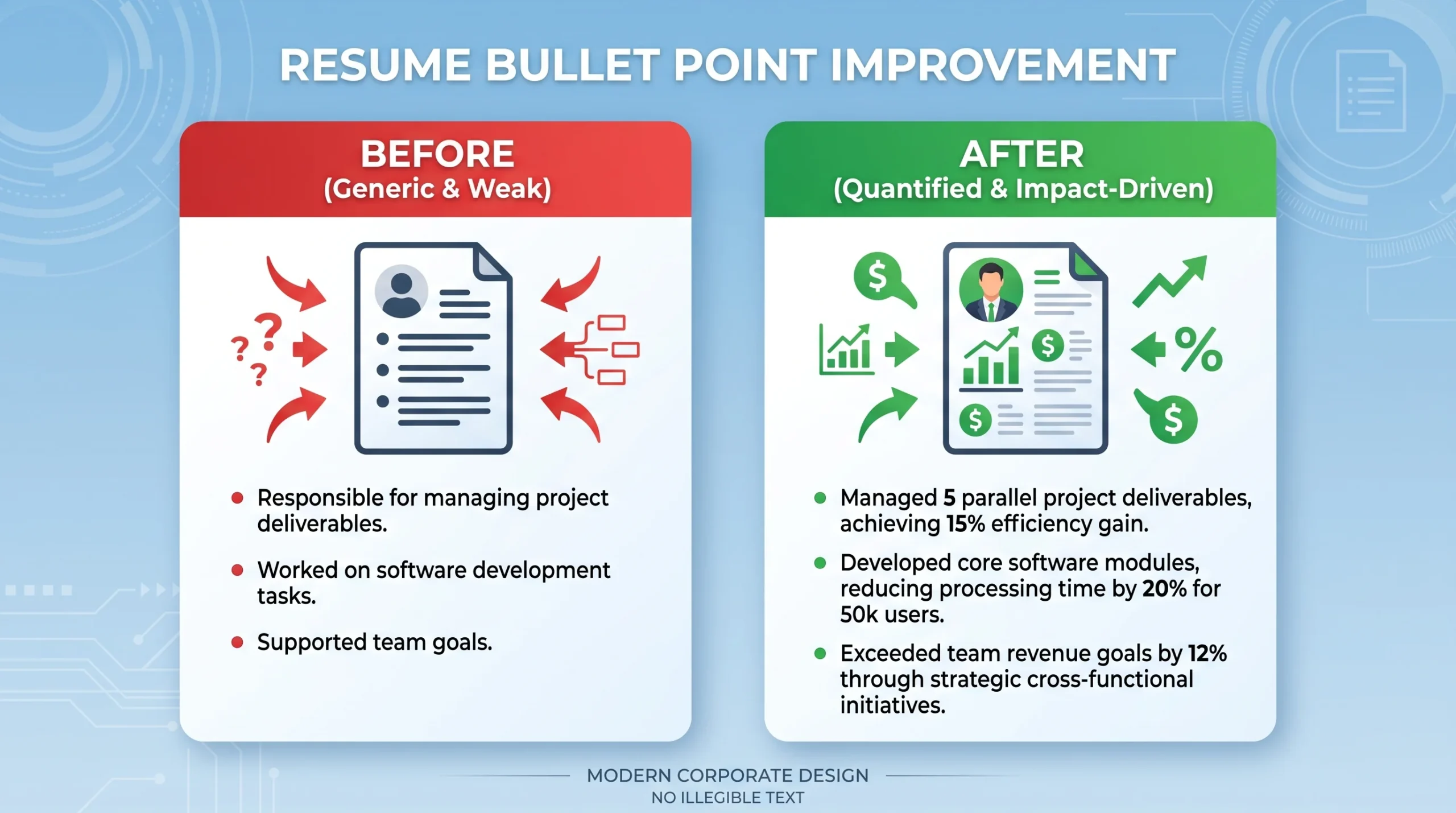
The single most important element of your resume is the bullet point. Weak resumes describe job duties. Winning tech resumes describe quantified business impact.
The Google XYZ Formula for High-Impact Bullet Points
Laszlo Bock, former Senior Vice President of People Operations at Google, popularized the gold standard framework for resume bullets:
“Accomplished [X], as measured by [Y], by doing [Z].”
- X (The Accomplishment): The specific business outcome, efficiency gain, or feature delivered.
- Y (The Quantified Metric): The measurable metric (dollars saved, revenue generated, hours eliminated, accuracy percentage).
- Z (The Technical Method): The specific tools, algorithms, or methodologies you applied.
Tech Resume ATS Guide: Real Before-and-After Bullet Point Transformations
Examine these real-world before-and-after transformations across common analytics and engineering responsibilities:
Example 1: SQL & Database Querying
Following the principles of our tech resume ats guide, here is how to rewrite database bullet points to emphasize scale and business impact.
- ❌ Weak (Before): “Responsible for writing daily SQL queries to pull customer data and assist marketing team with reports.”
- ✅ Impact-Driven (After): “Engineered 14 modular SQL queries utilizing CTEs and window functions in PostgreSQL, automating weekly customer retention reports and reducing marketing team data retrieval latency by 65%.”
Example 2: Business Intelligence & Dashboard Development
As demonstrated throughout this tech resume ats guide, reporting achievements must show stakeholder adoption and automated reporting hours saved.
- ❌ Weak (Before): “Created Power BI dashboards for leadership to track company sales metrics.”
- ✅ Impact-Driven (After): “Designed an interactive enterprise Power BI dashboard modeling 1.2M retail transactions with DAX time-intelligence calculations, giving 4 regional VP directors visibility that uncovered $180,000 in uncollected vendor rebates.”
Example 3: Data Cleaning & Automation
- ❌ Weak (Before): “Cleaned messy data files in Excel and helped automate routine office tasks.”
- ✅ Impact-Driven (After): “Architected an automated Power Query ETL workflow in Excel that standardized and ingested 24 regional monthly sales CSVs with zero manual copy-pasting, saving 18 staff hours per month.”
Example 4: Python & Data Science Modeling
- ❌ Weak (Before): “Built a machine learning model in Python to predict customer cancellations.”
- ✅ Impact-Driven (After): “Developed an XGBoost customer churn prediction model in Python (Pandas, Scikit-Learn) achieving an 84% ROC-AUC score, enabling proactive outreach that preserved $45,000 in annual recurring revenue (ARR).”
Need strong technical projects to highlight on your resume? Check out our dedicated guide: 5 Data Analyst Portfolio Projects That Get You Hired, or generate custom projects tailored to your background with our free Portfolio Project Generator.
Essential Keyword Optimization Checklist by Specialization
To pass the ATS semantic match filter, your resume must include the exact industry terminology recruiters search for. Group your skills cleanly into a dedicated Technical Skills section at the top of your resume:
Core Data Analyst Keywords
- Querying & Databases: SQL, PostgreSQL, MySQL, MS SQL Server, Snowflake, BigQuery, Database Indexing, Stored Procedures.
- Analytics & BI: Microsoft Power BI, DAX, Power Query (M), Tableau, Looker, Data Modeling, Star Schema, KPI Scorecards, Executive Reporting.
- Spreadsheet Analysis: Advanced Excel, XLOOKUP, Pivot Tables, Dynamic Arrays, Scenario Modeling, VBA Automation. Review our guide: Excel for Data Analysis: The 7 Formulas You Actually Need.
- Scripting & Stats: Python (Pandas, NumPy, Matplotlib, Seaborn), Exploratory Data Analysis (EDA), A/B Testing, Hypothesis Testing.
Business Analyst Keywords
- Agile & Methodology: Agile, Scrum, Kanban, Sprint Planning, SDLC, User Stories, Acceptance Criteria (Given-When-Then).
- Requirements Engineering: Business Requirements Document (BRD), Functional Requirements Document (FRD), Gap Analysis, MoSCoW Prioritization.
- Process Modeling: BPMN 2.0, As-Is vs To-Be Workflows, Lucidchart, Miro, Figma Wireframing, User Acceptance Testing (UAT). Review our roadmap: How to Become a Business Analyst in 6 Months.
Tech Resume ATS Guide: Tailoring Your Resume in Under 5 Minutes
Submitting the exact same generic resume to 100 job listings produces abysmal callback rates. However, rewriting your entire resume from scratch for every application is exhausting. Use this streamlined 5-minute tailoring process:
- Paste the Job Description into a Word Cloud or Text Analyzer: Identify the 5 to 7 technical nouns and verbs that appear most frequently in the requirements section (e.g., “Snowflake”, “DAX”, “Cross-functional Collaboration”, “Ad-hoc Analysis”).
- Mirror the Exact Phrasing in Your Skills Section: If the company asks for “Microsoft Power BI” and your resume says “PowerBI”, update your text to match their exact spelling. ATS parsers can be strictly literal.
- Swap 2 to 3 Bullet Points in Your Experience: If the listing emphasizes financial forecasting, move your financial and variance analysis bullet points to the very top of your role descriptions.
- Export Cleanly as PDF: Save your tailored resume as
FirstName_LastName_Data_Analyst.pdfand upload directly through the company portal.
To plan your full career trajectory and prepare for technical whiteboard interviews once your resume gets callbacks, explore our guide: Top 25 Data Analyst Interview Questions & How to Answer Them.
Tech Resume ATS Guide: Frequently Asked Questions
1. In this tech resume ats guide, should I submit as DOCX or PDF?
Unless the application portal explicitly states “Word documents only,” always submit a clean PDF. Modern ATS parsers (like Greenhouse and Lever) parse standard PDFs flawlessly, and PDFs guarantee that your visual fonts, margins, and page breaks render identically on the recruiter’s monitor without shifting.
2. According to this tech resume ats guide, does hidden keyword stuffing work?
No. This is a dangerous myth from the early 2000s. Modern ATS parsers convert all document text into unformatted plain text logs that human recruiters review. If a recruiter sees a massive block of invisible white keywords pasted at the bottom of your resume, your application will be blacklisted immediately for dishonesty.
3. What resume length does this tech resume ats guide recommend?
For candidates with under 5 to 7 years of professional experience, your resume should strictly be one single page. Recruiters spend only 6 seconds scanning applications; a multi-page resume for a junior or mid-level candidate dilutes your highest-impact achievements.
4. How does this tech resume ats guide suggest listing portfolio projects?
Create a prominent “Technical Projects” section positioned directly above your work experience. Treat your independent portfolio projects exactly like professional jobs: include a bold Project Title, the core Tech Stack used, a clickable GitHub link, and 2 to 3 impact-driven bullet points explaining the business problem you solved.
5. Should you include a headshot photo according to this tech resume ats guide?
If you are applying for jobs in the United States, Canada, or the United Kingdom, never include a photo. Including a photo increases the risk of unconscious hiring bias and causes many corporate HR departments to discard the application automatically to avoid discrimination compliance liabilities.
6. What is an optimal match score percentage in this tech resume ats guide?
Online resume scanners often grade resumes on a percentage scale. Aim for an ATS match score of 70% to 80% against the target job description. Striving for 100% is counterproductive, as it often leads to awkward, unnatural phrasing that human hiring managers will reject during the visual review round.
Published by the SkillRoadmaps Editorial Team | Updated for 2026 Industry Standards